¶ Core Concepts & Glossary
Planally runs on a consistent set of building blocks. Because the platform's value comes from structure—clear phases, ownership, and progression—understanding these terms once makes every other page in this guide easier to follow. This page explains the key concepts and how they fit together.
¶ How the Pieces Fit Together
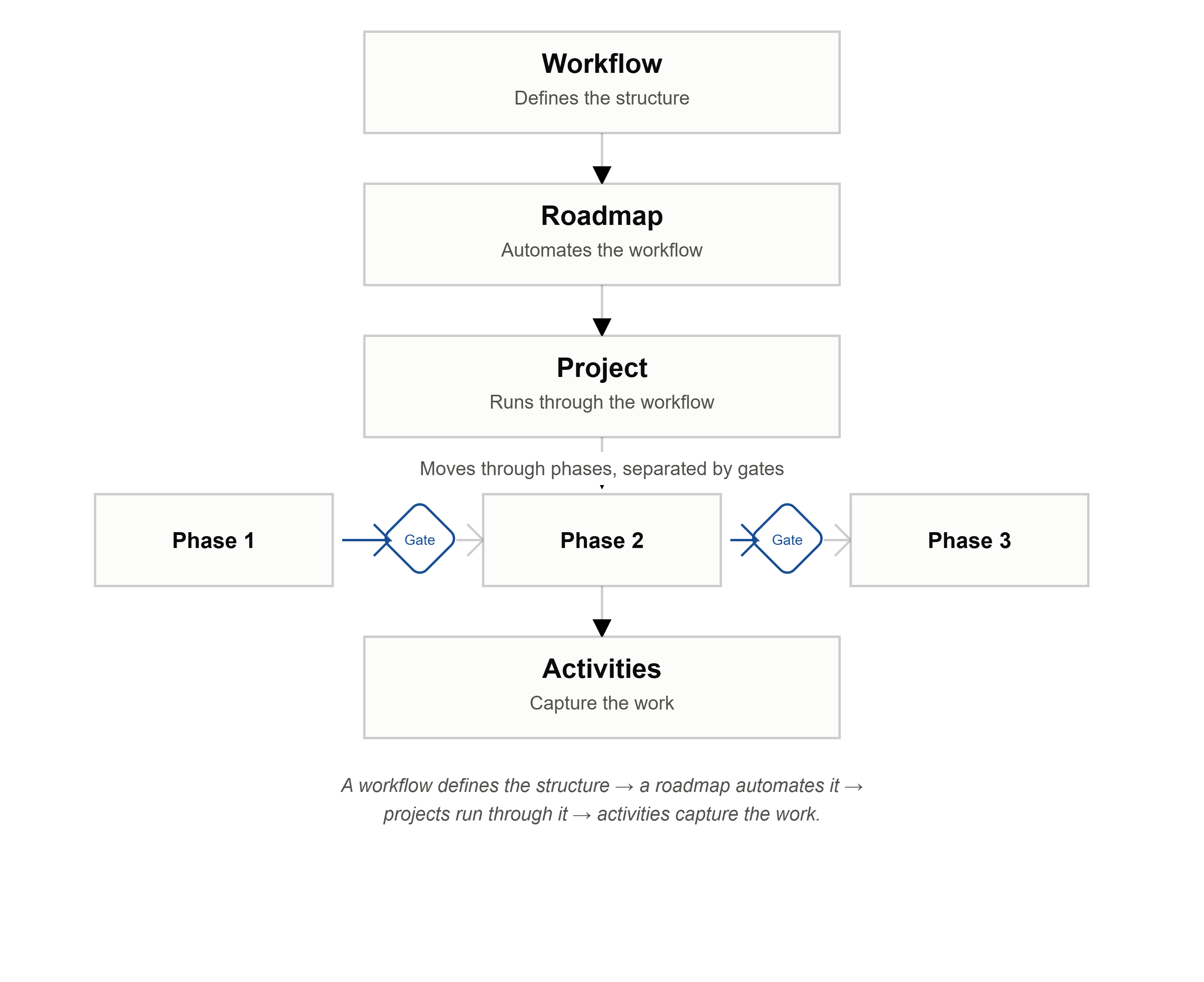
At the top is a Workflow—the structure for a type of process (e.g. Project Delivery, Contract Management). Inside a workflow you create Projects (the individual instances of work). Each project follows a Roadmap, which arranges Activities into Phases, separated by decision Gates. Roles define who is responsible, and Templates define the data each activity captures.
In short: a workflow defines the structure → a roadmap automates it → projects run through it → activities capture the work.
¶ Key Terms
Workflow
The top-level container for a type of work. It defines the phases, roles, swimlanes, templates, and roadmaps that all projects under it will use.
Project
A single instance of work created within a workflow. Depending on your workflow, a "project" might actually be a contract, tender, audit, research initiative, or any other entity your organization manages.
Phase
A stage in the workflow lifecycle (e.g. Initiation, Planning, Execution, Closing). Work moves from one phase to the next through a gate.
Gate
A decision checkpoint between phases. At a gate you decide to Go (advance), No-Go (stop), or Recycle (return to a previous phase). See Easy-Gate for the quick way to make this decision.
Easy-Gate
A one-click way to make a gate decision directly from Phase Gate View, without opening Project Settings. It offers three actions:
- Proceed — advances the project to the next phase (equivalent to changing the Current Phase in Project Settings).
- Go Back — returns the project to the previous phase (equivalent to changing the Current Phase in Project Settings).
- Stop — ends the project by setting its Status to Inactive (equivalent to changing the Status in Project Settings).
Roadmap
The blueprint that arranges phases and activities into a structured, automated process. When you create a project, you select a roadmap and its structure is applied automatically.
Activity
A task or deliverable within a phase. Activities have a status, dates, an assignee, a form, documents, and governance rules.
Swimlane
A grouping that organizes activities within a phase into logical categories.
Template
A reusable activity definition created in the Form Builder. It defines the form fields, document requirements, and governance rules for a particular type of activity.
Role
A governance role (e.g. Project Manager, Approver) assigned to activities and linked to endorsement/approval policies.
Endorsements & Approvals
Governance steps required to move an activity between statuses. Endorsers and approvers are notified when their action is needed.
Applicability
Whether an activity is Mandatory (must be completed), Prerequisite (required before others), or Applicable (optional but relevant).
Activity Status
The state of an activity: Not Planned, Planned, In Progress, or Completed—with a late indicator applied automatically based on dates. Late is a fixed fact about the activity and doesn't change with how you view the board. See Understanding Late Status.