¶ Notifications & Reminders
Planally keeps you informed so you never miss important updates. Notifications alert you automatically based on actions, access changes, and scheduled dates. The Notification Center gives you a full history, and Reminders gathers everything that needs your attention into one place.
¶ Why This Matters
Staying informed ensures:
- Visibility: Know when you're assigned tasks or roles.
- Timeliness: Get alerts for upcoming and overdue deadlines.
- Governance: Stay on top of endorsements, approvals, and access requests.
¶ How Notifications Work
Notifications are delivered in two ways:
- In-App: View notifications directly in the Planally interface.
- Email: Receive alerts in your registered email inbox.
¶ Types of Notifications
- Access Notifications — Account or license actions (e.g. access granted, password reset).
- Action-Based Notifications — Project and activity updates (e.g. role assignment, activity status change, file uploads).
- Time-Based / Deadline & Status — Scheduled dates (e.g. a Planned Start or End Date has passed).
¶ Viewing Notifications
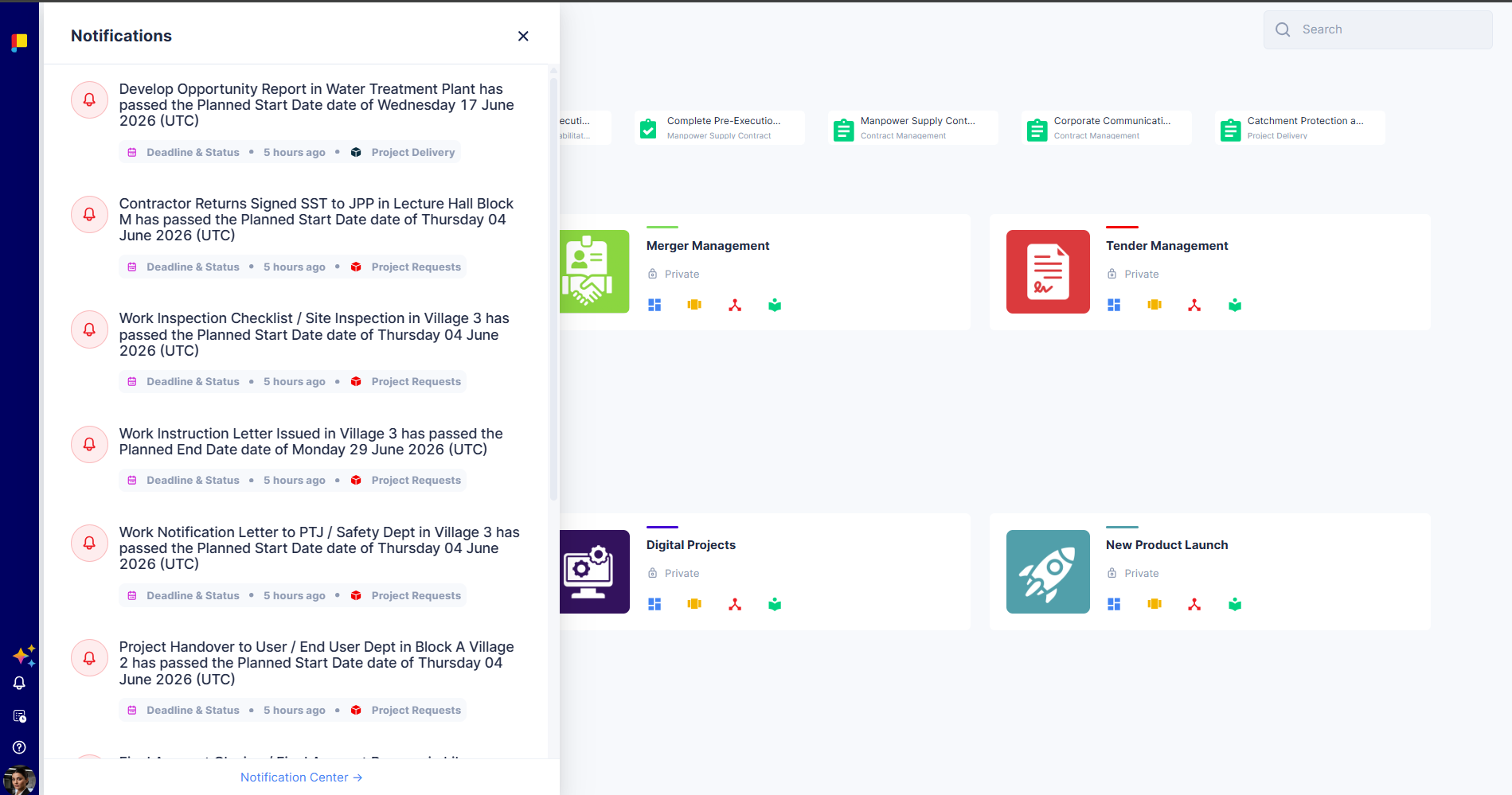
Click the bell icon in the side menu to open the notifications panel. From there, open any notification to jump to the related page, or click Notification Center for the full view.
¶ Notification Center
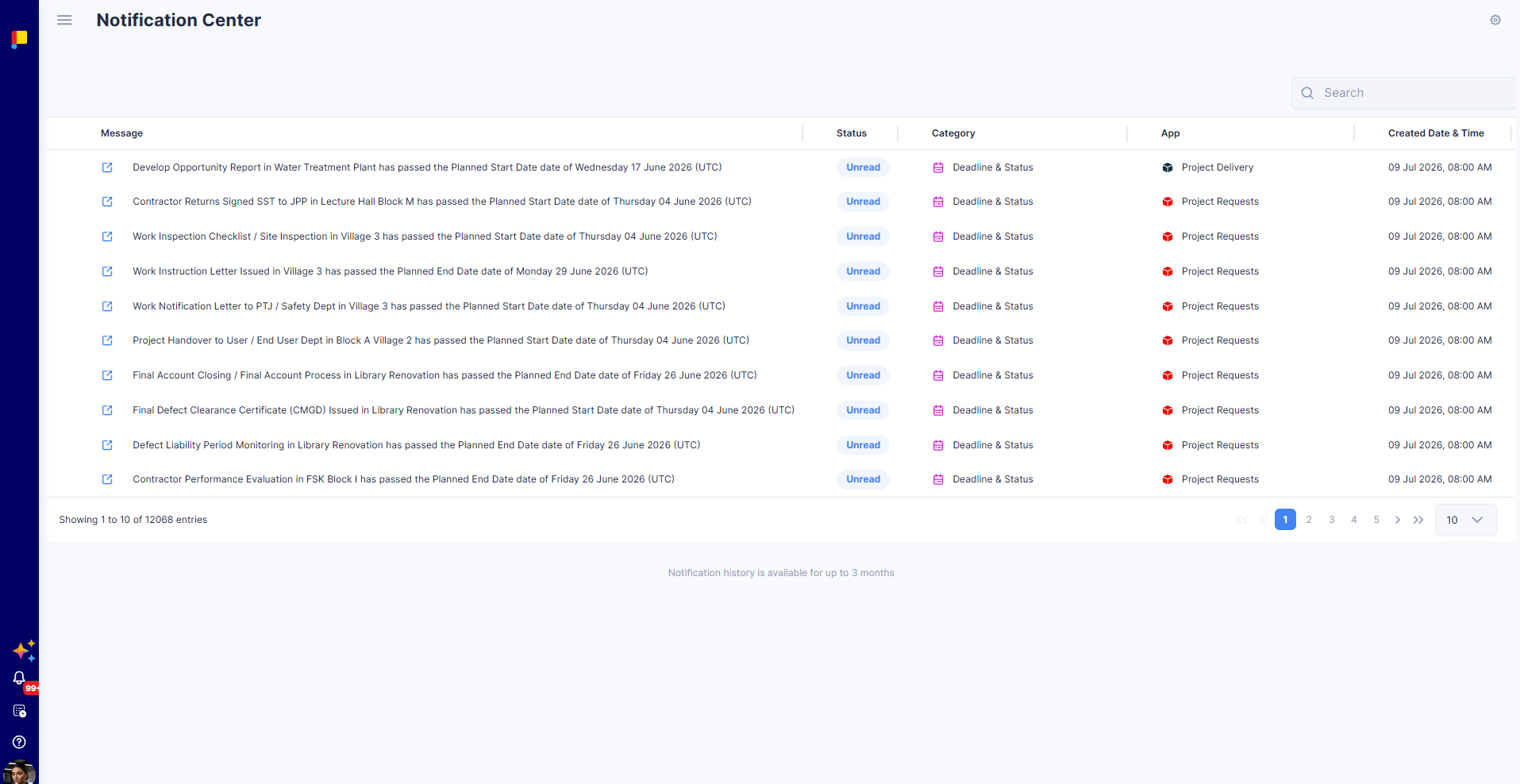
The Notification Center lists all your notifications with Message, Status (Read / Unread), Category (e.g. Deadline & Status, Request), App (the workflow), and Created Date & Time.
- Select one or more notifications to Mark as read, Mark as unread, or Delete.
- Search to find a specific notification.
- Notification history is available for up to 3 months.
¶ Email Notification Preferences
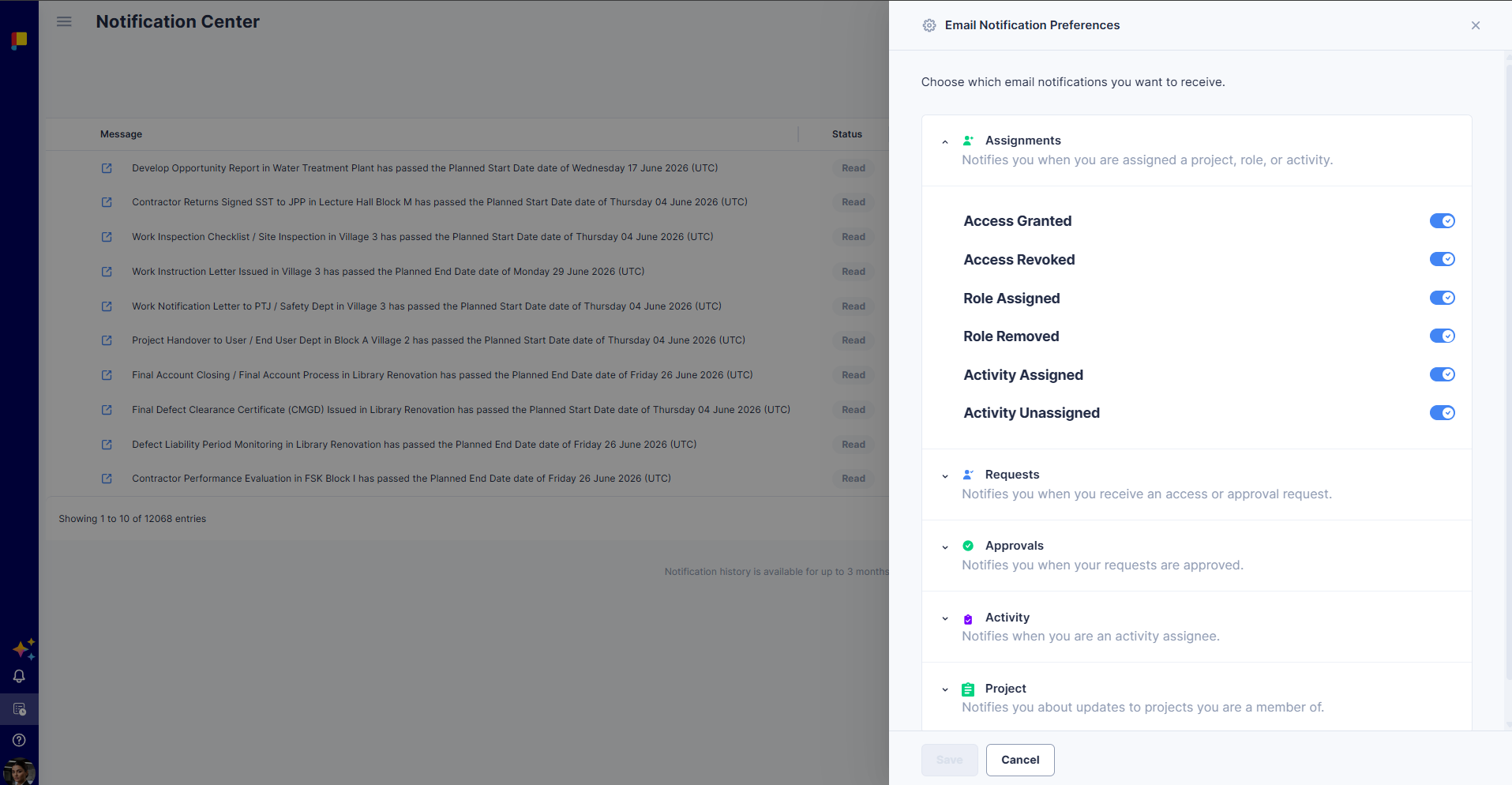
Choose exactly which notifications reach your email inbox. Preferences are grouped:
- Assignments: Covers project, role, and activity assignments, and access changes.
- Requests: Flags any user access or endorsement and approval requests sent your way.
- Approvals: Tracks the outcome of your access and endorsement requests, whether approved or rejected.
- Activity: Keeps you posted on activities you're assigned to, from file uploads and status changes to deadlines and closures.
- Project: Rounds up updates on projects you're a member of, from status and phase changes to deadlines and deletions.
Open Email Notification Preferences from the gear / settings icon in the top-right of the Notification Center. Toggle each on or off and click Save.
¶ Reminders
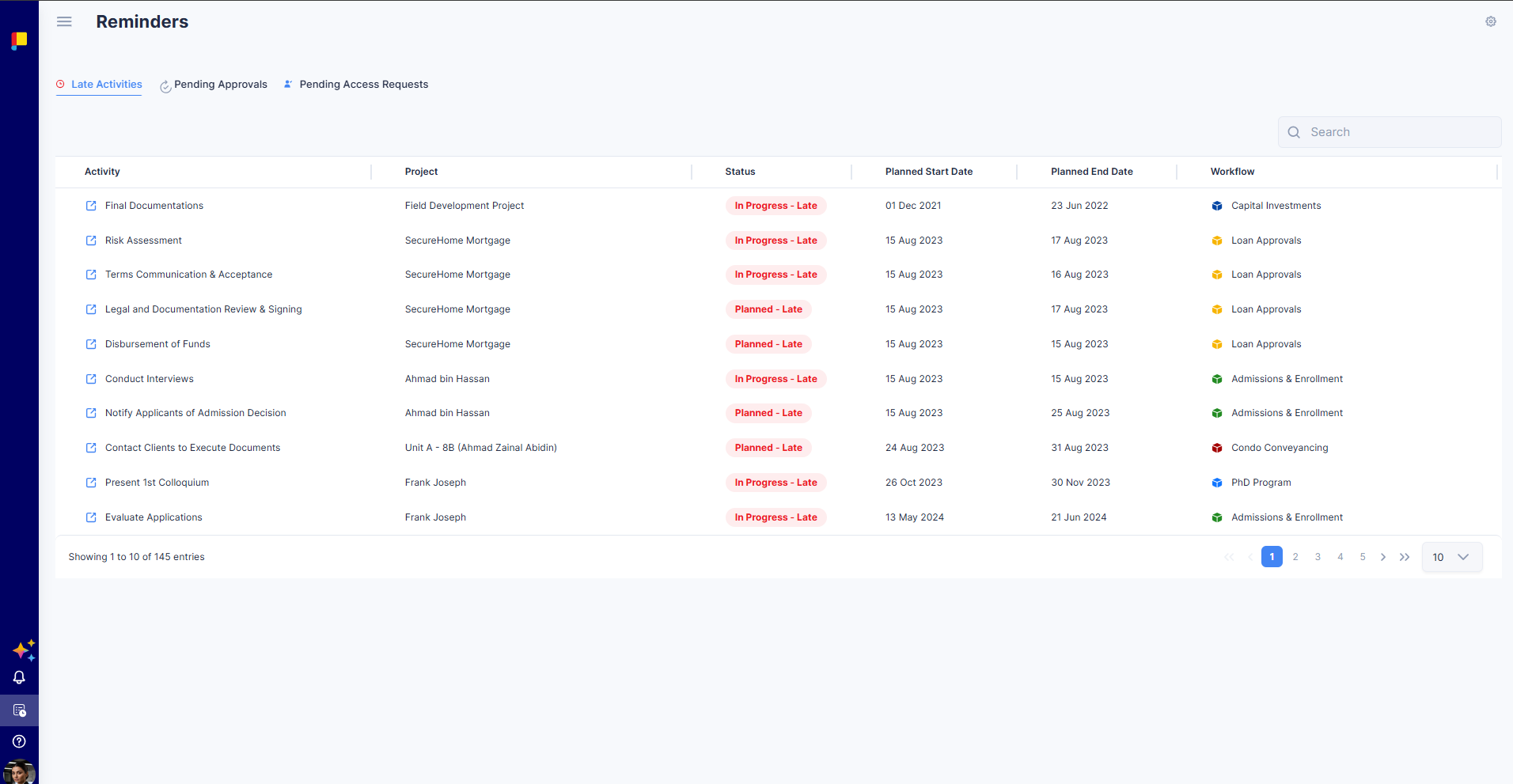
The Reminders page is your personal action hub. It gathers everything that needs your attention across your workflows into one place, organised into three tabs. Open it from the Reminders icon in the side menu.
¶ Late Activities
Activities that have passed their planned dates.
Columns: Activity, Project, Status (e.g. In Progress – Late, Planned – Late), Planned Start Date, Planned End Date, and Workflow.
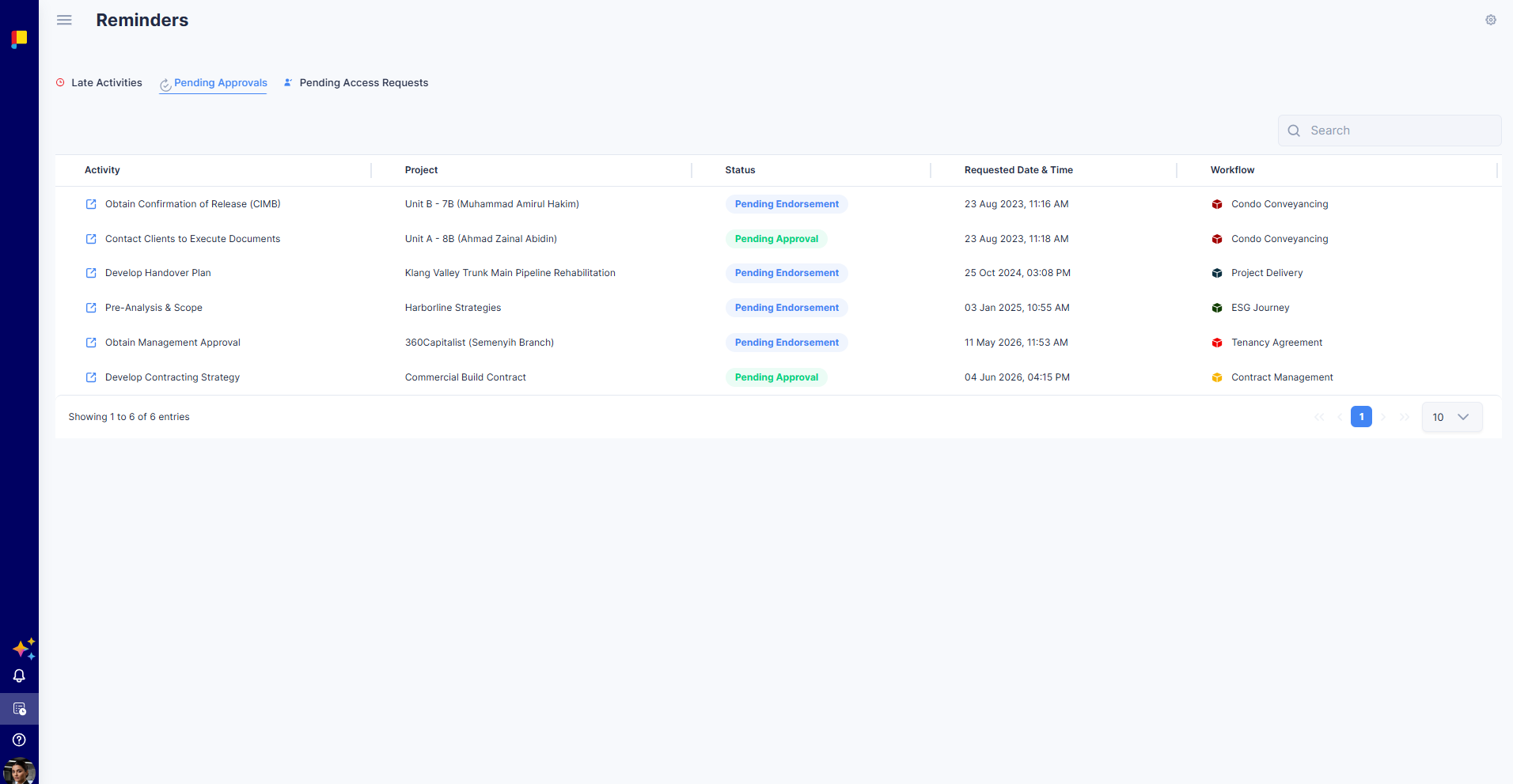
¶ Pending Approvals
Activities awaiting your endorsement or approval.
Columns: Activity, Project, Status (Pending Endorsement / Pending Approval), Requested Date & Time, and Workflow.
¶ Pending Access Requests
Project access requests awaiting your approval.
Columns: Username, Email, License (Licensed / Unlicensed), Project, Status (Pending Access), Workflow, and Requested Date & Time.
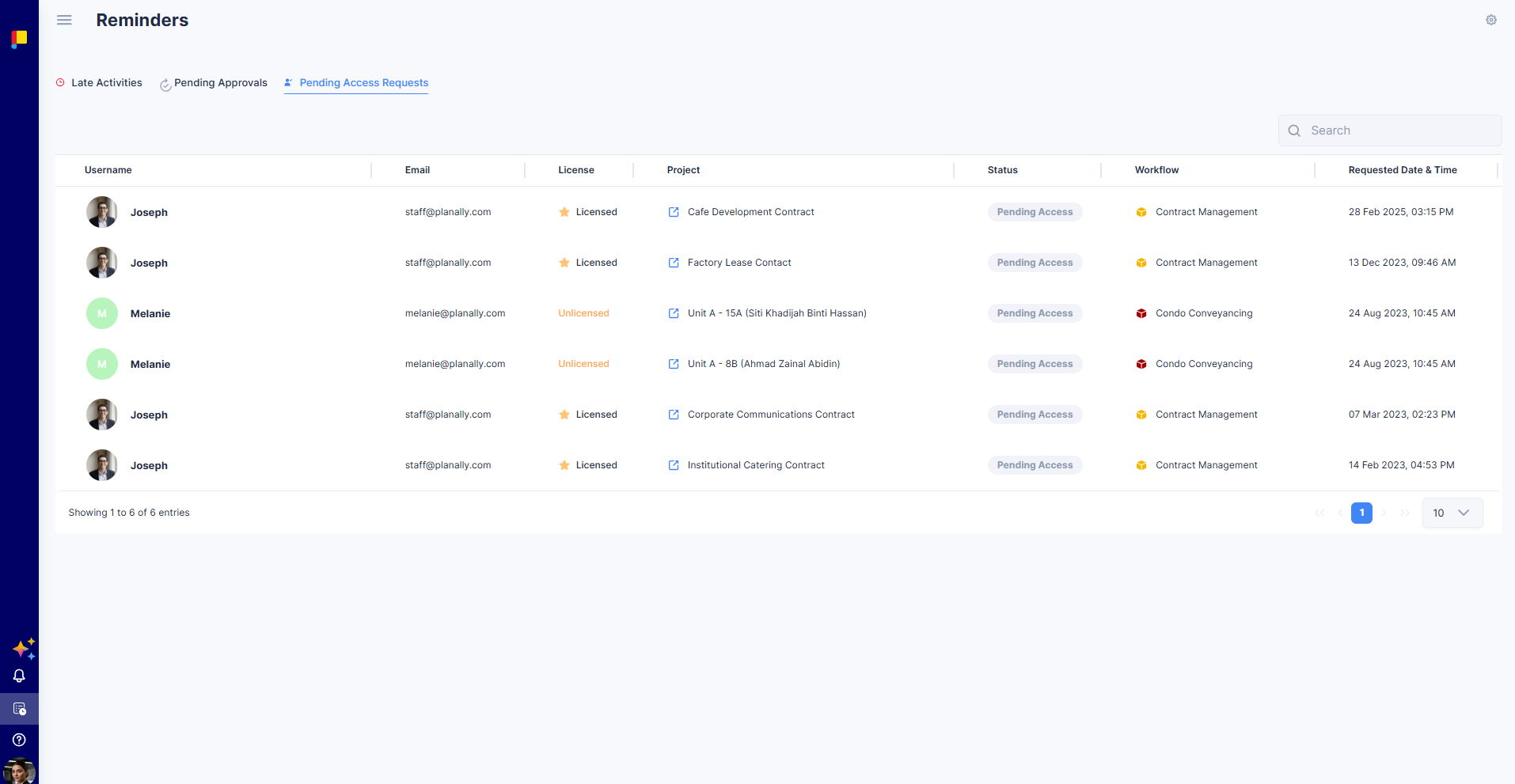
Each tab is searchable and paginated; click any row to open the related activity, project, or request.
¶ Best Practices
- Check Reminders daily — Late Activities and Pending Approvals are your priority queue.
- Act promptly on endorsement and approval requests to keep workflows moving.
- Tune Email Notification Preferences so your inbox shows only what matters to you.
- Use the Notification Center to catch up on anything you missed (up to 3 months back).